.png?width=140&height=37&name=BLAZE-Logo-Blue%20(2).png)
Updating Your Logo
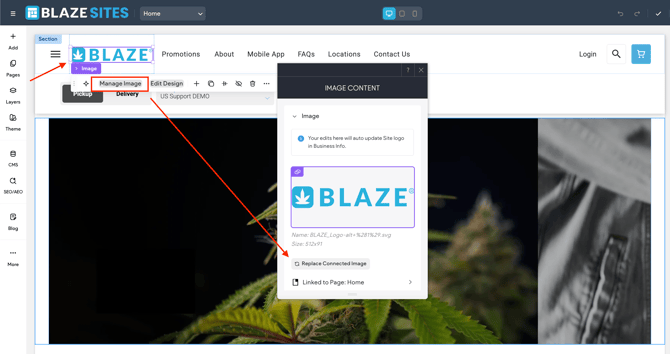
Your business logo appears in both the header and footer of your site. You can update it at any time by replacing the connected image.


Steps to update your logo
- Navigate to your site editor
- Click the logo in either the header or footer
- Select Manage Image
- Click Replace Connected Image
- Upload or select your new logo
- Save and Republish your site to apply changes
Recommended: Add Alt Text
We recommend adding alt text to your logo image. Alt text improves accessibility and helps search engines understand the image content.
Keep it short and descriptive (e.g., "Company Name logo").