
-
Setup: The shop’s Metrc facility in BLAZE needs Post Delivery Transaction on, along with Enabled and Enable Sync. If it’s off, BLAZE skips delivery orders. On the Metrc side, the courier needs Sales Delivery Hub, and the courier’s driver and vehicle must be on the shop’s license. If you do not see an outgoing transfer option present in your compliance transfer tab please reach out to support@blaze.me so we can enable that for you.
-
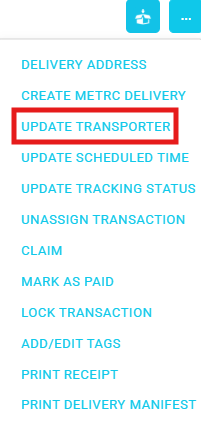
Set the courier: in Dispatch, click the 3 dots next to the in-progress delivery, click Update Transporter, enter the courier’s facility name and license number, then Save. Do this before step 3. If you don't a common error you will receive is “A Sales Delivery Hub Facility is required for the Transporter Facility”.
-
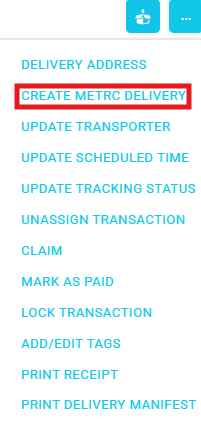
Create the Metrc delivery: click Create Metrc Delivery, either the icon or the Actions menu item. This sends the delivery to Metrc with the courier as transporter.
-
Courier steps in Metrc: the courier accepts, departs and verifies ID in the Hub, either in Metrc or in their own system. BLAZE doesn’t do these steps.
-
Complete in BLAZE: complete the order as normal. BLAZE sends the completion to Metrc with the completed time as actual arrival. The order shows Completed, or SubmissionError if Metrc rejects it along with the reasoning for the rejection.