.png?width=140&height=37&name=BLAZE-Logo-Blue%20(2).png)
Prerequisites
- The manifest must display Ready to Receive for the receiving organization.
- The Actual Departure Date / Time must have elapsed before the Ready to Receive status becomes available.
- All incoming packages must be fully received in NMS2S prior to performing the package intake inside BLAZE.
How to Fully Receive a Transfer Manifest in NMS2S
- Navigate to the Transfers tab.
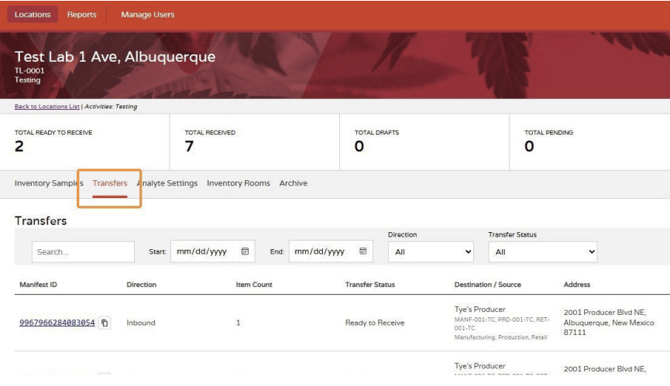
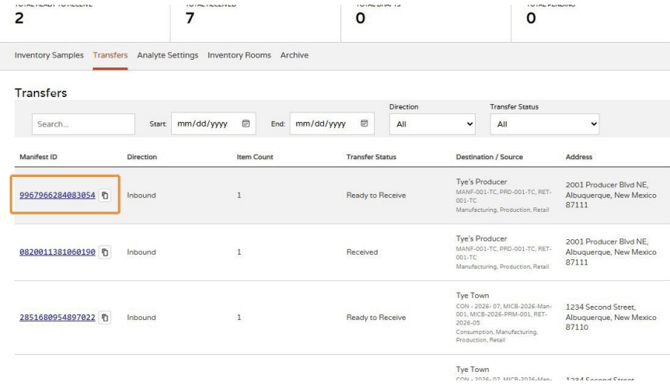
- Click on the Manifest ID that displays a status of Ready to Receive.
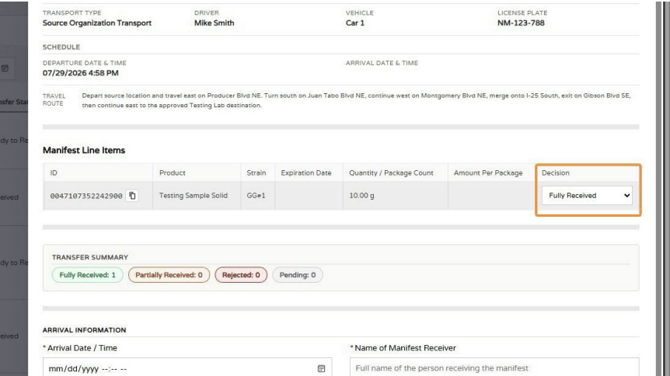
- Select Fully Received from the Decision dropdown menu.
- Enter the Arrival Date / Time.
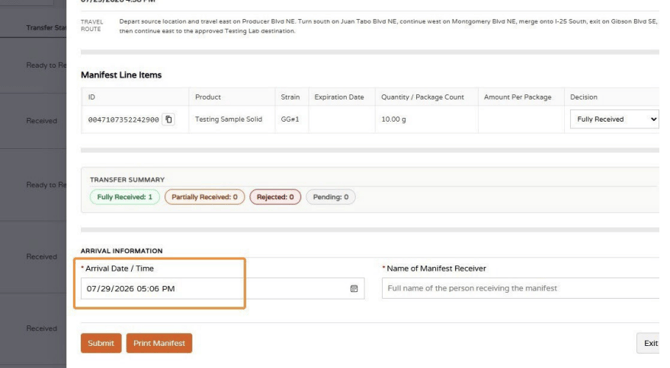
- Enter the Name of Manifest Receiver.
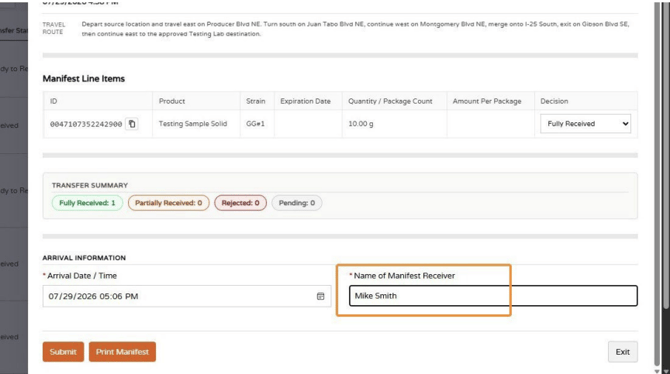
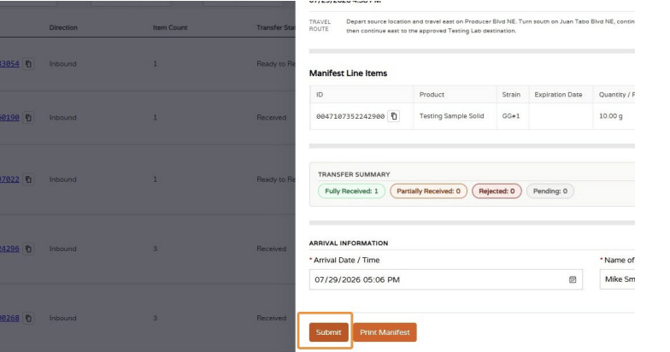
- Click Submit.
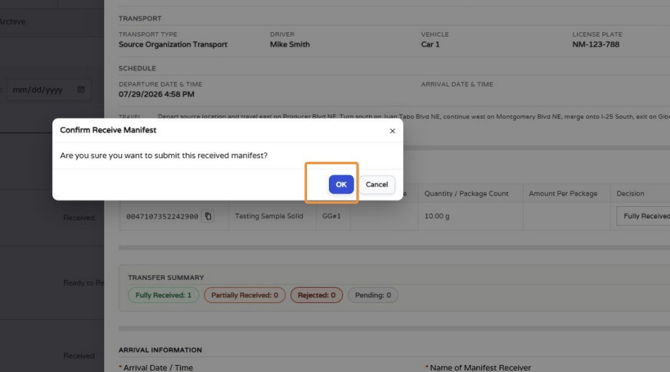
- Click OK to confirm fully receiving the manifest.
ALERT: After receiving manifest in NMS2S; the received packages must be transferred from the "Storage Room" into the "Sales Floor Room" in NMS2S in order for them to be visible in BLAZE Compliance Packages page.
NOTE: For additional compliance guidelines and details on the transition, refer to the official New Mexico Cannabis Control Division Training Manual.
How to Intake Received Packages into BLAZE
Once a package has arrived and been fully received in NMS2S, intake it into BLAZE to bring it into your sellable inventory.
- Navigate to Compliance > Compliance Package.
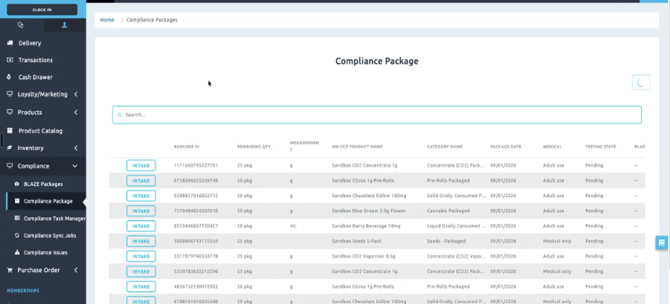
- Click Intake.
- Choose the appropriate BLAZE product from the dropdown menu.
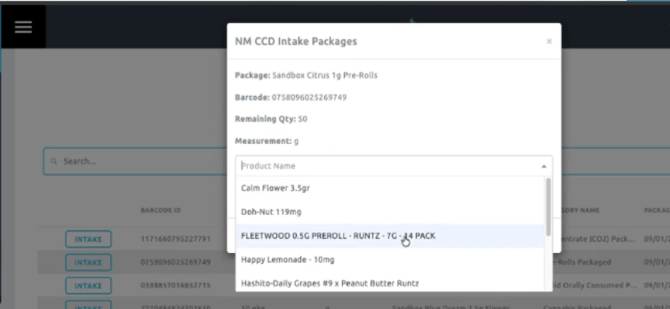
- Select New Batch.
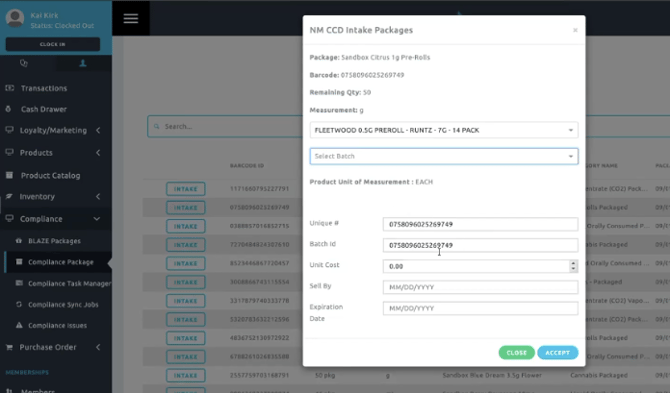
- Enter the Unit Cost, Sell By Date, and Expiration Date.
- Click Accept to complete the intake and add the items to your sellable inventory.
Note: Upon Accept BLAZE will pull in the expiration date and cannabinoid content of the packages from NMS2S
Related Articles
Compliance | New Mexico Track-and-Trace Transition: BioTrack to NMS2S
CCD | Track and Trace Transition