.png?width=140&height=37&name=BLAZE-Logo-Blue%20(2).png)
Not seeing any pre-approved Outreach Templates that work for you create your own!
After submission for approval, some verbiage submitted might be altered to allow for the template to be compliant. This process usually takes up to 72 hours.
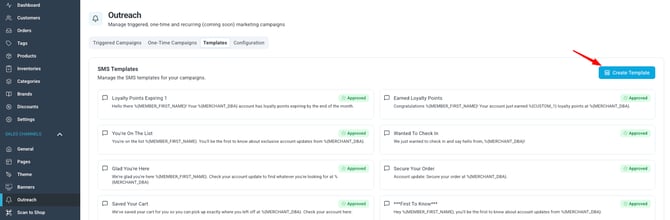
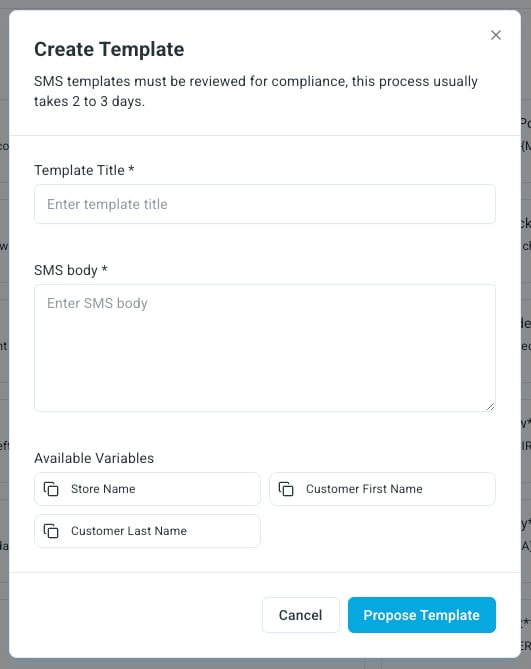
Templates must contain:
- Template Title
- SMS Body
Optional:
- Available Variables (Store Name, Customer First Name, Customer Last Name)
💬 SMS Messaging (Text-Only)
Overview
If none of the pre-approved SMS templates fit your needs, you can submit a custom template for review. Submissions go through a compliance check with our upstream SMS providers before they can be used.
- Required fields: Template Title and SMS Body.
- Optional: variables such as Store Name, Customer First Name, Customer Last Name.
- Review time: up to 72 hours.
- Verbiage may be edited during review to make the template compliant — it isn't always rejected outright.
- Questions? Contact ECOM Support: ecomsupport@blaze.me
The Golden Rule
“If it looks like marketing, it's bad. If it looks like a notification, it's good.”
Think of an approved template like a hall pass for account-update content — not a marketing flyer. A few implications of that:
- Save the marketing language for after the customer clicks through. The SMS itself should just get them there.
- Don't edit templates often. Consistency helps keep your sender ID whitelisted with upstream carriers.
- Once a notification template starts reading like an ad, it stops working as a notification — and deliverability drops.
Do's and Don'ts
|
✅ DO |
❌ DON'T |
|
Keep the tone conversational and friendly, like a store update |
Name specific cannabis products, categories, or strains (e.g. “joint,” “sativa,” “hybrid,” “blunt”) |
|
Focus on store hours, events, menu updates, or account/loyalty updates |
Reference THC/potency, or phrases like “get high” or “feel the effects” |
|
Use neutral, general-audience terms like “menu” or “selection” |
Use cannabis slang or hype-driven language of any kind |
|
Frame content as an account update or notification (“Big News! Updated menu”) |
Use urgency/promo tactics: “act now,” “limited drop,” specific sale dates/times, “crazy discount” |
|
Keep templates consistent once approved — avoid frequent edits |
Write anything that reads as D2C marketing/advertising copy rather than a notification |
|
Use light personalization and send at reasonable times of day |
Rely on flashy visuals or imagery that reads as promotional |
ExamplesApproved (Account Update / Notification style)
- “Big News! Updated menu is live—come take a look.”
- “Account Update: [Store Name] has an update for you.”
- “Big updates this weekend, don't miss out.”
- “We're open until 9PM tonight—stop by anytime!”
- “You've got rewards waiting—visit us this week to use them.”
Rejected (Marketing / Promotional style)
- “Big price drops today at 5pm.”
- “Get your price drops on our strains.”
- “Strongest strains in stock!”
- “THC gummies now available—grab them today!”
- “Don't miss this drop—limited supply!”
- “Sale only on July 21st between 4–5PM.”
Quick Compliance Checklist
Before submitting, ask:
- Does this read as informational rather than promotional?
- Does it avoid naming cannabis products, categories, or strains directly?
- Is it free of THC/potency references and cannabis slang?
- Is it free of urgency or discount-driven language (specific sale dates/times, “act now,” etc.)?
- Are any images or visuals neutral and non-promotional?
- Would this message be acceptable for a general audience, unrelated to cannabis?
If the answer to all of these is yes, the template is on the right track.
Pro Tips for Better Engagement
- Keep messages short and easy to read.
- Use light personalization where it fits naturally.
- Send at appropriate times of day.
- Focus on the long-term customer relationship, not a single transaction.
- Once approved, avoid frequent changes — consistency helps keep your number whitelisted upstream.
- Save any real marketing/promotional content for the page or app screen the SMS links to, not the SMS itself.
MMS Image Templates
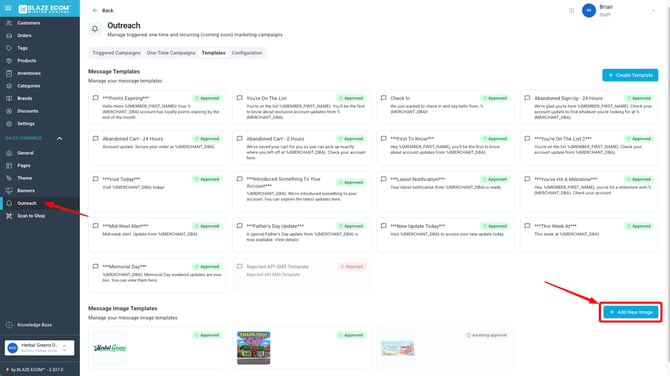
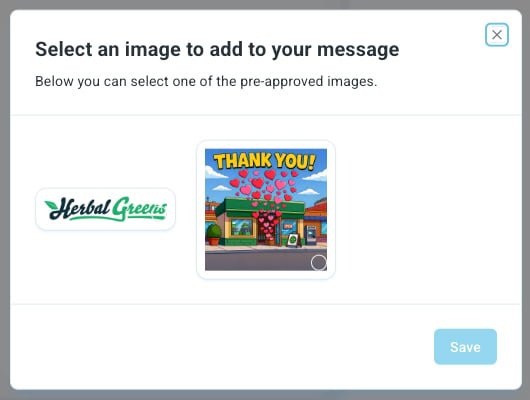
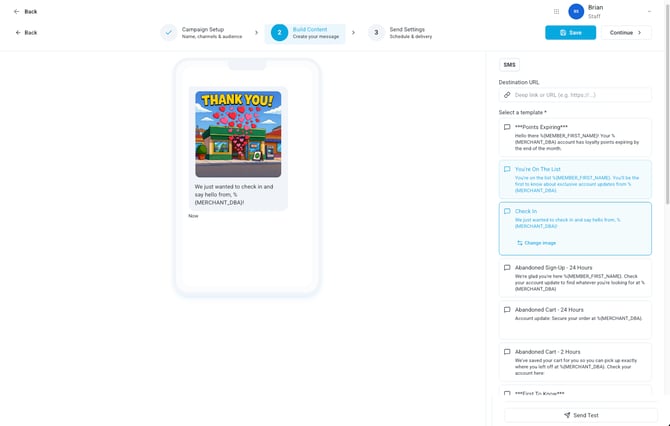
Images for MMS are also available. To add a new image you can click on "add new image" from the Templates section under Outreach.
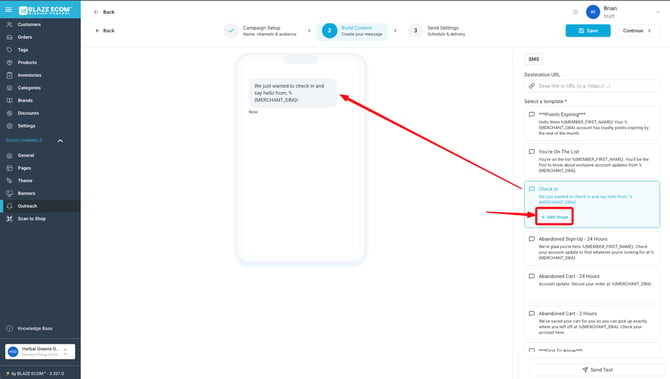
These images can be used within your campaigns after you have selected a template to use.
Questions on a specific submission? Reach out to ECOM Support: ecomsupport@blaze.me