
What is Outreach?
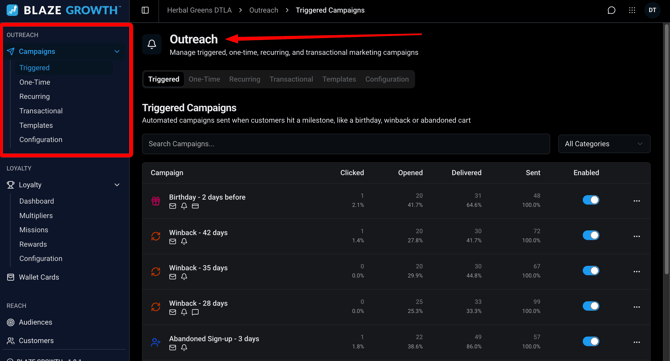
Outreach is your hub for marketing services. You can use the campaigns section to send email, SMS, push notifications, and wallet notifications. You will see real-time stats that show you how your campaigns perform.
Growth requires a subscription to use. Our mobile app subscription includes unlimited push notifications and our growth add-on includes loyalty, wallet card, email and SMS services.
Please reach out to sales@blaze.me to inquire about these services.
Overview
We offer several different kinds of campaigns. Each type can utilize SMS, email, push notifications, or wallet notifications depending on the BLAZE marketing services you subscribed to use.
Each SMS campaign will cost SMS credits. Click here to learn how to manage those in BLAZE Accounts.
Jump into:
- Triggered Campaigns
- One-Time Campaigns
- Recurring Campaigns
- Transactional Campaigns
- Targeting Customers
Campaign Types
1) Triggered Campaigns
Triggered campaigns allow you to set up automatic messages that send based on preset conditions. You can edit the messaging for each to make it your own.
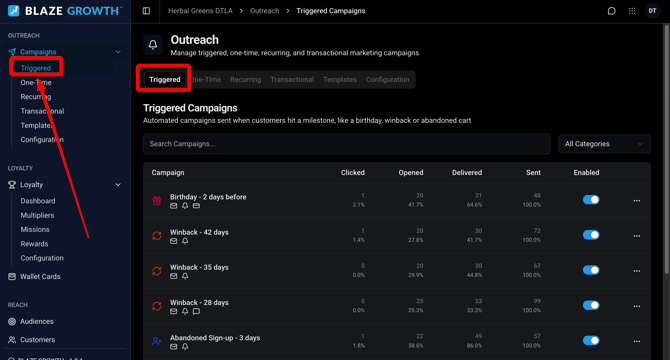
Currently we have automated flows built to winback customers, prompt new customers to order, and send abandoned cart reminders.

2) One-Time Campaigns
One time campaigns allow you to create custom one-time messages that can be sent instantly or scheduled for later.
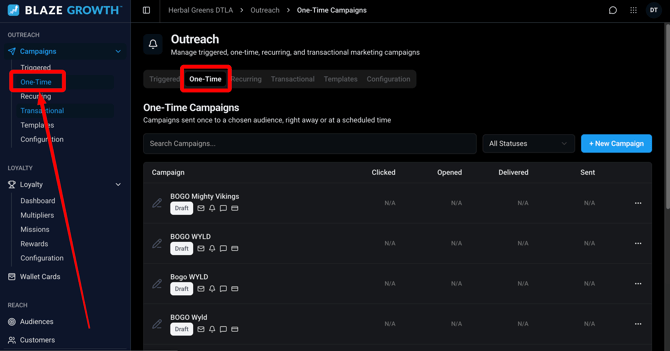
Use the filter in the top right to find campaigns you have created

3) Recurring Campaigns
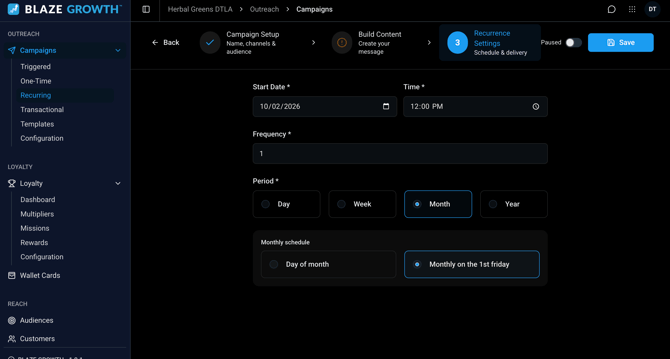
Recurring campaigns enable you to create repeating marketing blasts that deliver on a schedule. These can be set for specific days of the week and are delivered on a weekly, monthly or annual basis.
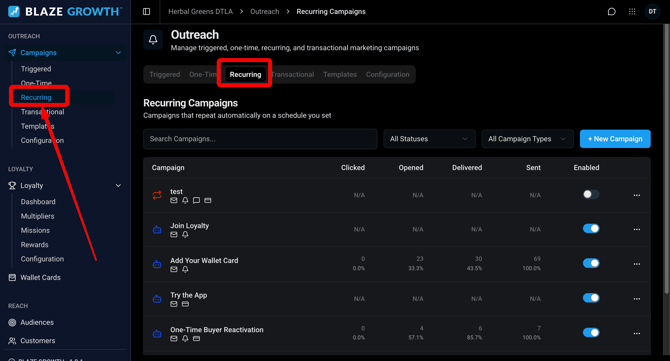
You will set your frequency on our campaign scheduler tab:
4) Transactional Campaigns
Transactional campaigns enable you to trigger order status notifications. Currently this is limited to SMS notifications but will expand to all notification types.
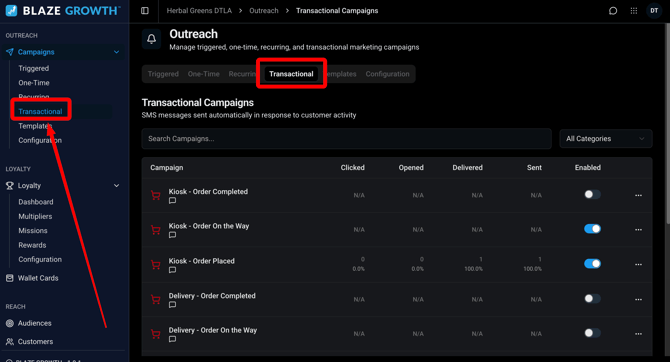
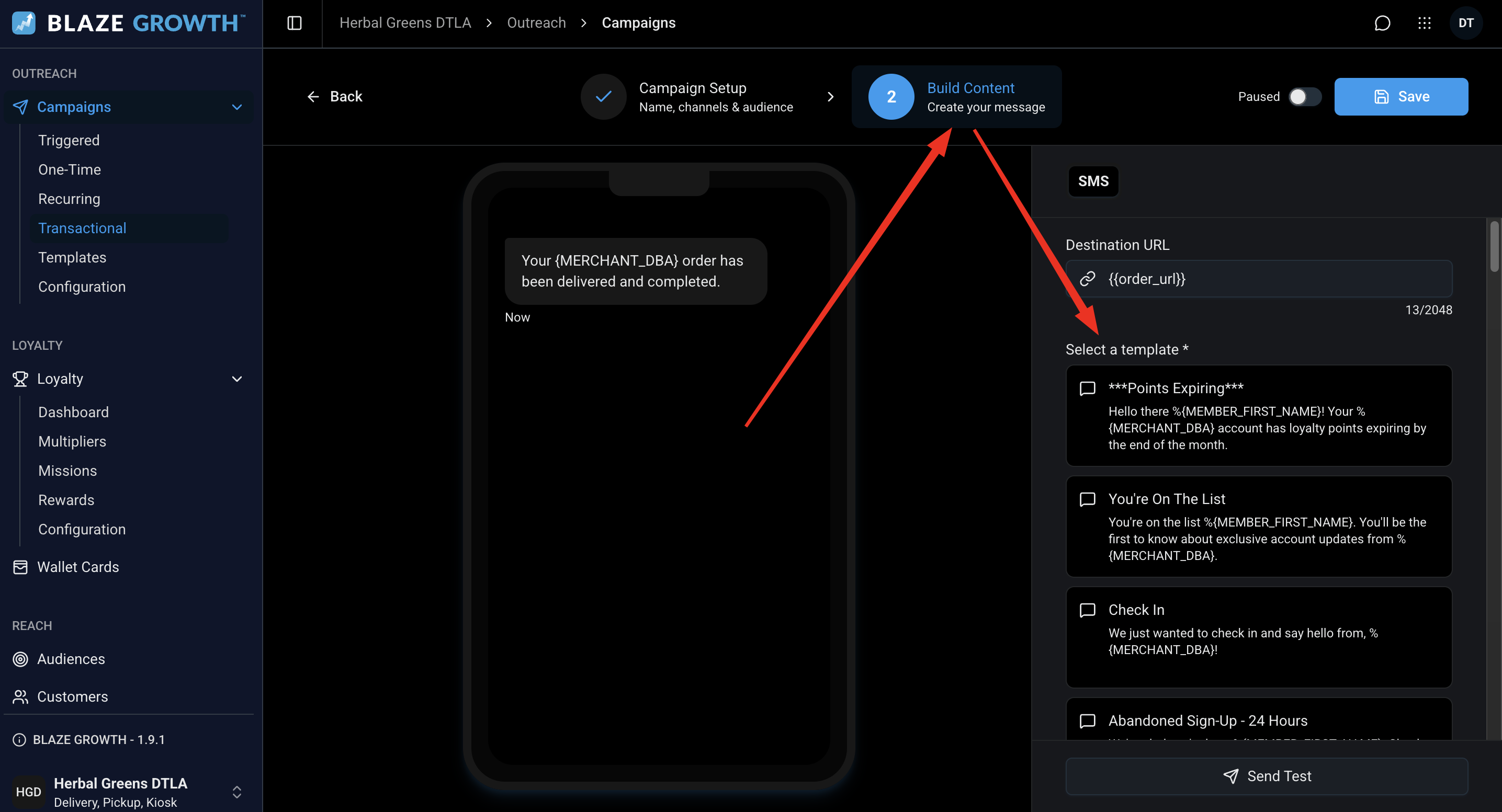
You need to use an approved SMS template for your order notifications. You will see the list of approved templates in the campaign builder as shown below:
Choosing Your Audience
Who Receives Campaigns?
Before a customer can receive a campaign, they need to have confirmed their account. Here's how member status works:
- Unconfirmed — Someone we have no verified identity for. They haven't logged into ECOM, and haven't completed any form of verification (email, phone, or social). This includes profiles migrated from POS to Growth that have never interacted with ECOM, or users who never finished setting a password after 2FA.
- Confirmed — Has logged in, or completed some form of verification.
- Customer — Has placed an order.
📌 Note: Unconfirmed users do not receive campaigns. Only Confirmed and Customer- status users are eligible. You can see their status on the Mission Control Customers tab.
Targeting Customers
One-Time and Recurring campaigns allow you to specify an audience based on profile information, purchase history or store activity. Open the Select Audience dropdown in the campaign builder to view your options:
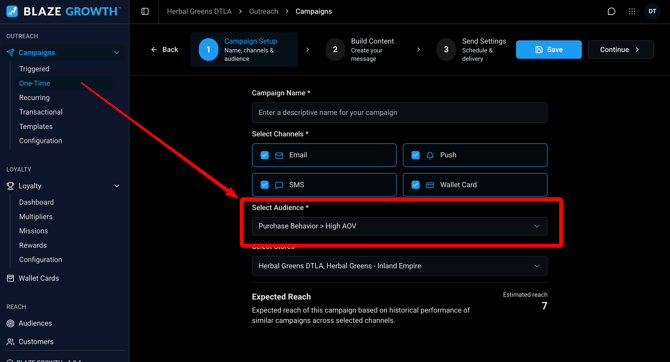
Our multi-location operators can also target customers by store. Use the Select Stores dropdown at the bottom of the campaign builder.
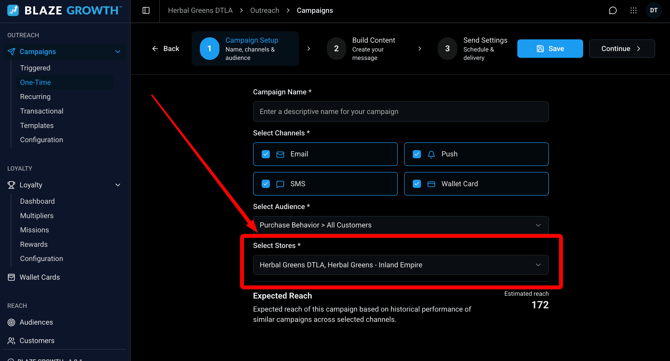
Here is a breakdown of how customers are assigned to your stores:
- Customers are assigned to the store where they created their online profile
- Once a customer makes a purchase, they are only assigned to stores where they have placed an order
- These store assignments stack so customers may be assigned to multiple stores
- Users will only receive each notification once - even if they are assigned to multiple stores that are being targeted
Learn more about Growth