.png?width=140&height=37&name=BLAZE-Logo-Blue%20(2).png)
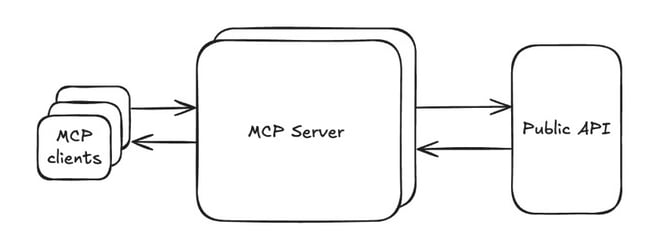
How to Set Up
- Open your AI assistant application.
- Add BLAZE as a connector or plugin using the server address for your desired product (BLAZE Retail or BLAZE Ecom).
- Sign in using your BLAZE credentials and approve the connection request.
- If your account covers multiple locations, specify which store you want to query (the assistant will prompt you if the store location is unclear).
Sample Queries
You can ask your AI assistant questions in natural language. The assistant can perform single queries or chain multiple steps together (e.g., identifying slow-moving products and constructing a promotion).
- "What’s our current stock on hand for gummies under $30?"
- "How did Saturday’s sales compare to last Saturday?"
- "Which SKUs haven’t sold in the last 30 days?"
- "Pull up order #4821 and tell me the status."
- "Top 10 products by revenue this month at the Oakland store."
Important Considerations
WARNING: Actions that update, create, or delete data apply directly to your live BLAZE account. The assistant will always ask for your explicit confirmation before applying changes.
NOTE: Certain actions (such as launching a campaign or issuing a transaction refund) cannot be undone once confirmed. Always review actions carefully before approving them.
- No Financial Movements: Connectors cannot move money or place orders on your behalf.
- Data Verification: Always double-check critical operational numbers directly in BLAZE before taking business actions.