.png?width=140&height=37&name=BLAZE-Logo-Blue%20(2).png)
POS Setup
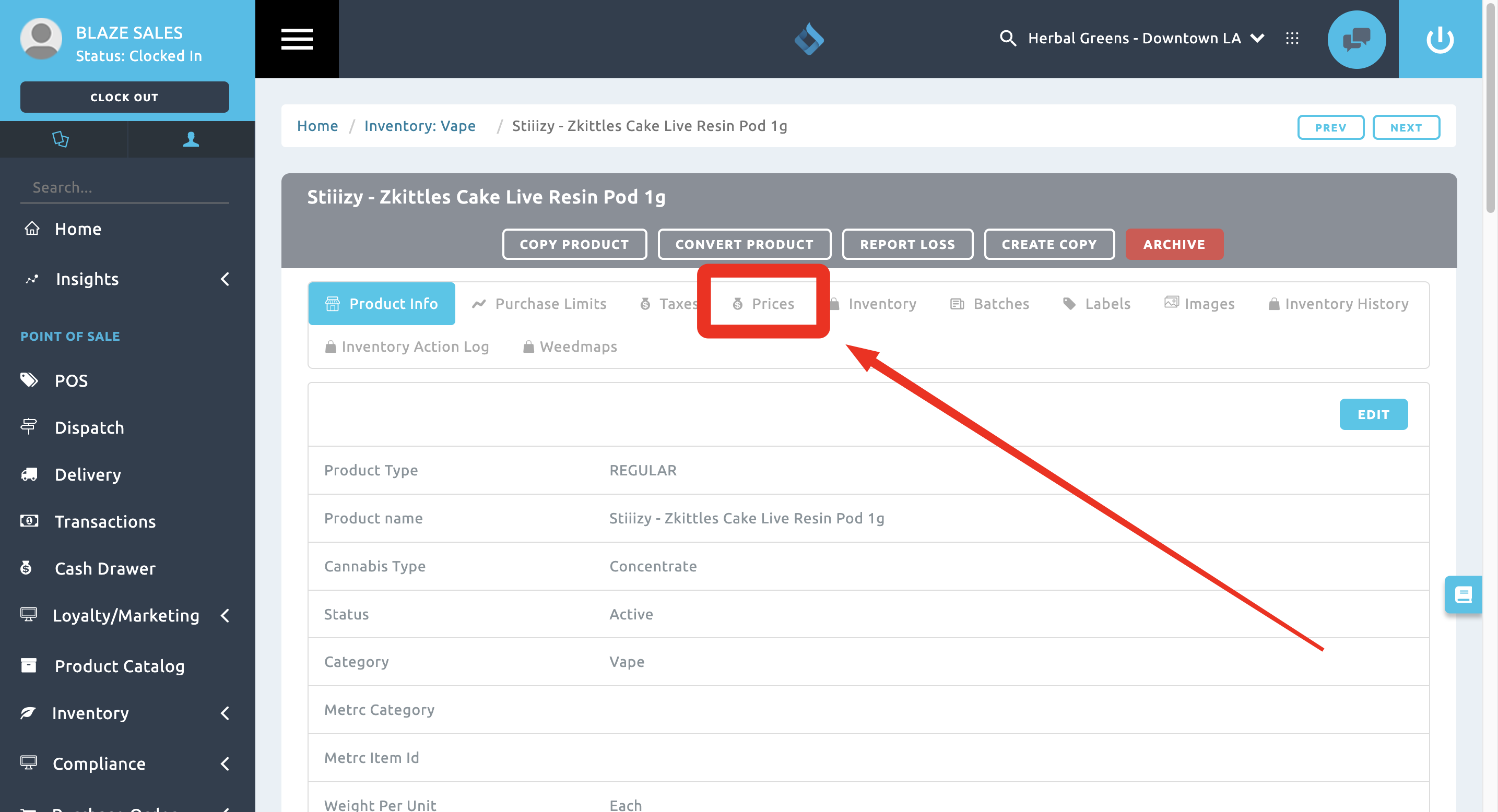
Within your point of sale product card, go to the Prices tab:
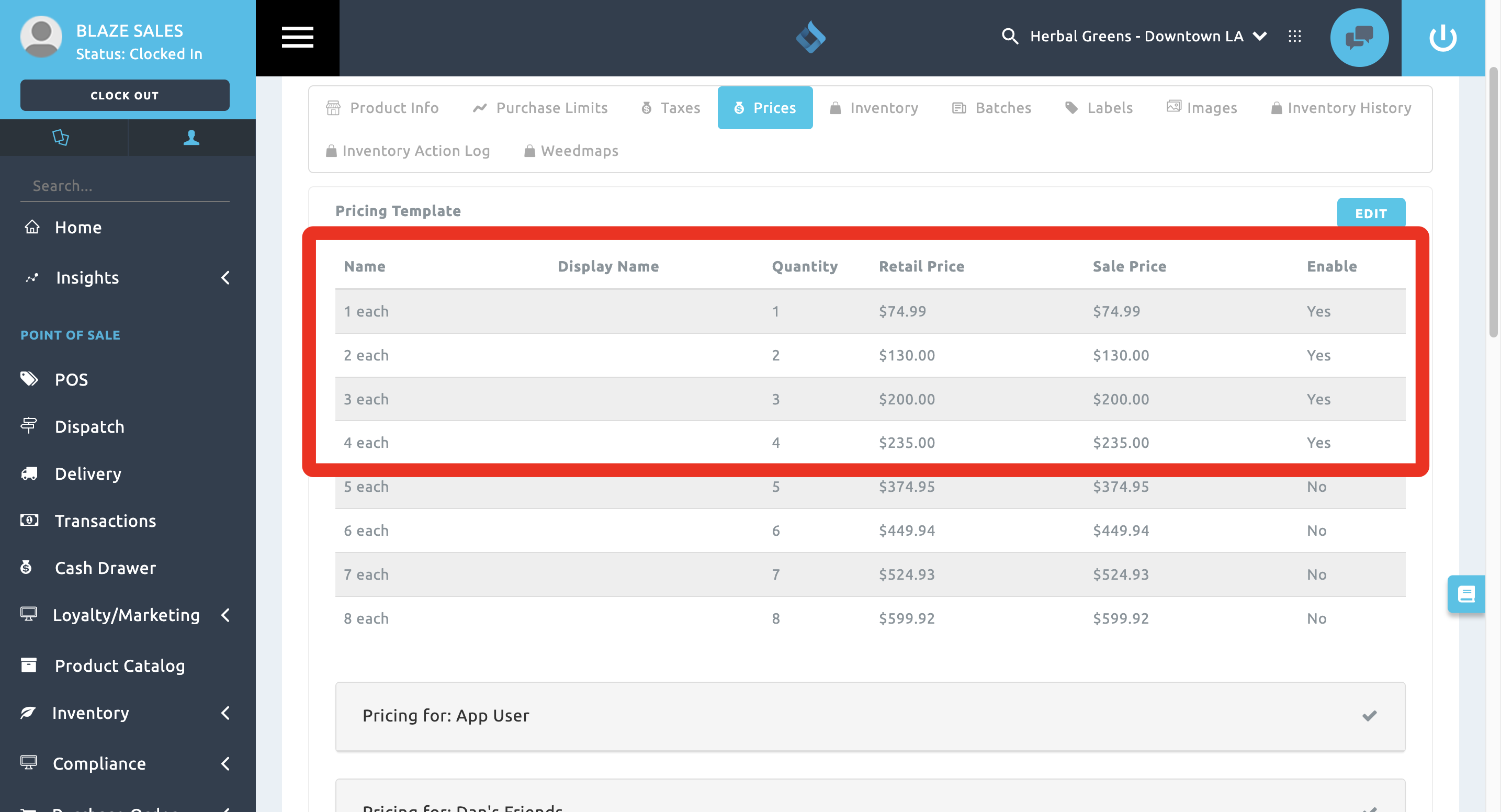
Once inside, set the retail price and sale price at a lower value price per unit as the units increase. Make sure you Enable is set to Yes.
ECOM Display
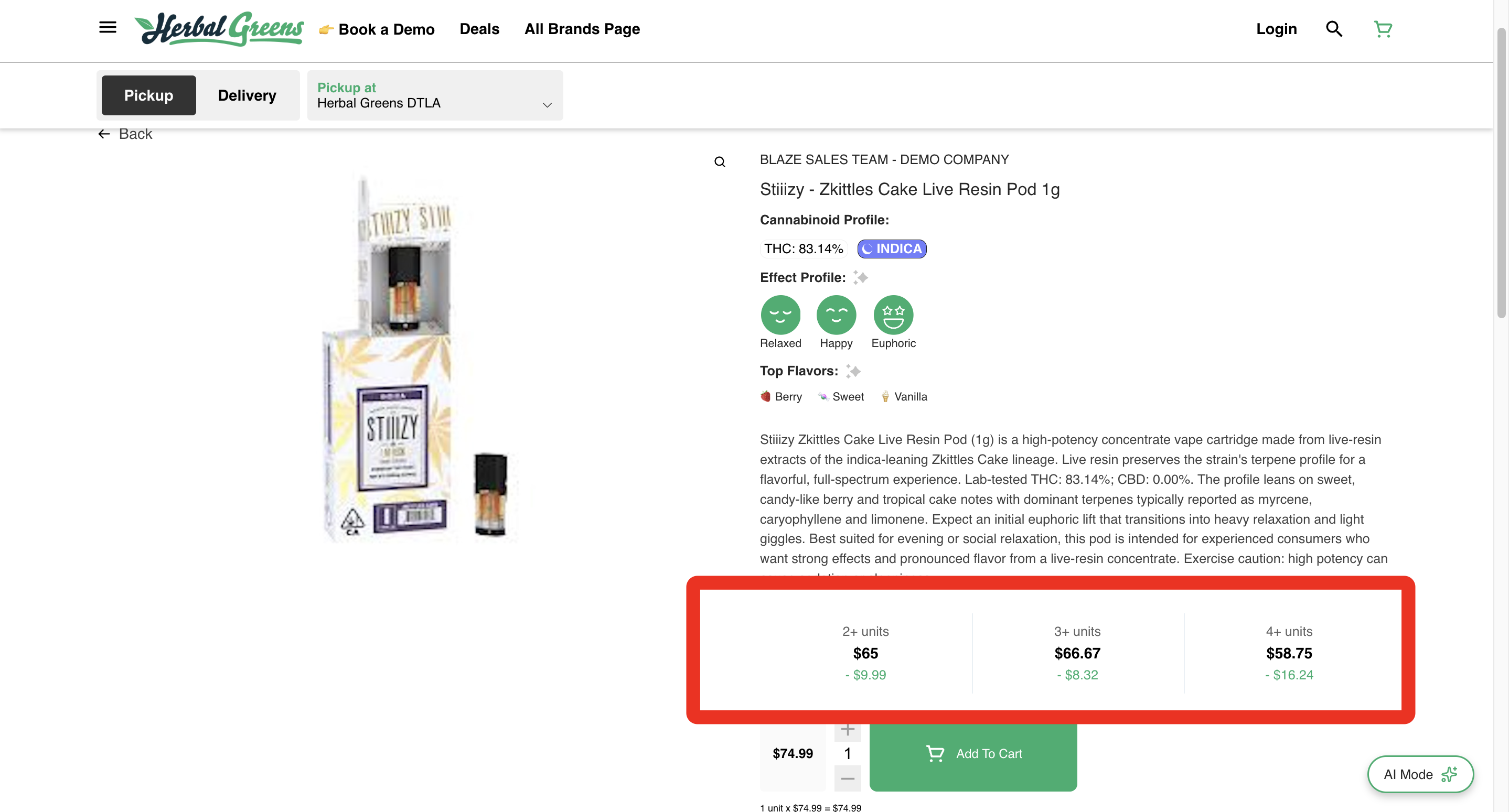
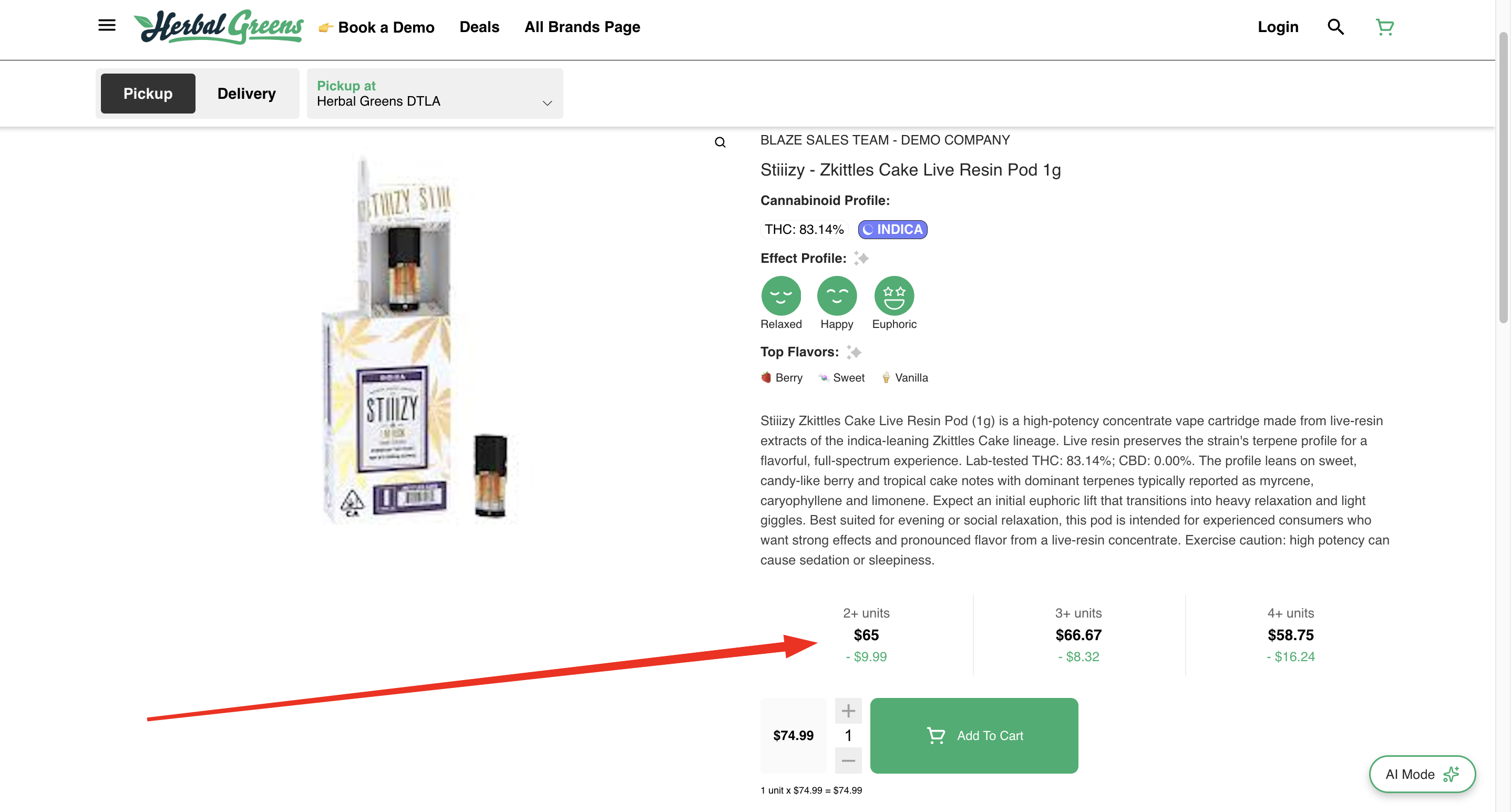
Once your sale pricing is set, the pricing will sync to your ECOM product. Customers will see the per-unit savings when they open the product card: