.png?width=140&height=37&name=BLAZE-Logo-Blue%20(2).png)
Note: Social Login uses your personal Google or Microsoft account. If your organization uses Enterprise SSO (Microsoft Entra ID or Google Workspace), see Understanding Enterprise SSO at BLAZE instead.
Prerequisites
- An active BLAZE account on a Premium or Pro subscription tier
- A Google or Microsoft account you want to use for login
How to Sign In with Social Login
- Navigate to the BLAZE login page for the product you want to access (Retail Admin, POS, or ECOM)
- Click "Login with SSO" then click "Continue with Google Workspace" or "Continue with Microsoft" (you may need to first click 'Login with SSO' to reveal these options)"
Screenshot of login page showing Google and Microsoft sign-in buttons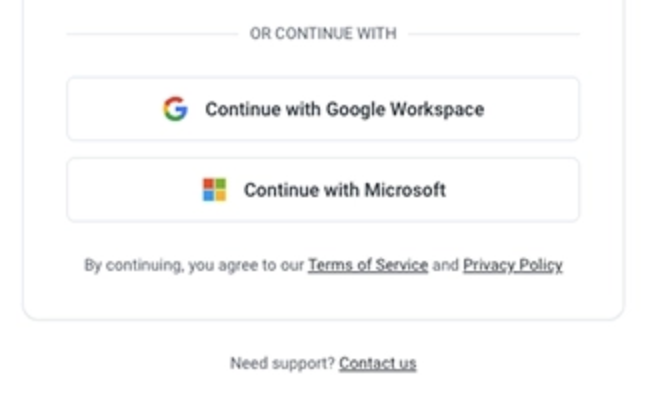
- You'll be redirected to Google or Microsoft's login page
- Enter your Google or Microsoft account credentials
- If prompted, grant BLAZE permission to access your basic account information (name and email)
- You'll be redirected back to BLAZE and logged in automatically
First-Time Setup: Linking Your Social Account
If this is your first time using Social Login, you may need to link your Google or Microsoft account to your existing BLAZE account:
- After signing in with Google or Microsoft, BLAZE will check if your email matches an existing account
- If a match is found, you'll be prompted to confirm the account linking
- Click Confirm to link your social account to your BLAZE account
- Future logins will authenticate you automatically
Switching Between BLAZE Products
Once you're logged in with Social Login, you can use the App Switcher to navigate between BLAZE products without signing in again. See Using the BLAZE App Switcher for details.
Troubleshooting
Email address doesn't match?
Social Login requires that the email on your Google or Microsoft account matches your BLAZE account email. Contact BLAZE support if you need help with this.
Related Articles
- What is Single Sign-On (SSO) at BLAZE?
- Understanding Enterprise SSO at BLAZE
- Troubleshooting SSO Login Issues