.png?width=140&height=37&name=BLAZE-Logo-Blue%20(2).png)
US CLIENTS ONLY - CANADA CLIENTS SKIP THIS PORTION
The first step in this process is submitting your 10DLC form. If you have already done that, awesome! If not - please follow the steps in article linked below, then return to this article.
CANADA CLIENTS ONLY
To submit your 10DLC form please refer to this article.
How to send a campaign via SMS:
In Growth navigate to the Campaigns section and under One-Time Campaigns select New Campaign.

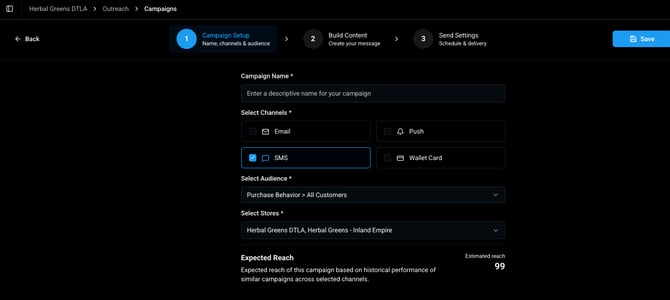
From there you will enter the campaign setup screen - you will need to enter a Campaign Name, Campaign Type (SMS in this case), your selected audience, and store. You can then select save for later, or continue.
The next screen is the content builder. You will notice right away that these are pre-configured templates that cannot be edited. This is due to SMS regulations being strictly enforced. SMS messaging in the cannabis space is highly regulated, and SMS carriers have tools in place to block and blacklist operators that violate guidelines. These templates are specially designed to protect you from blacklisting. 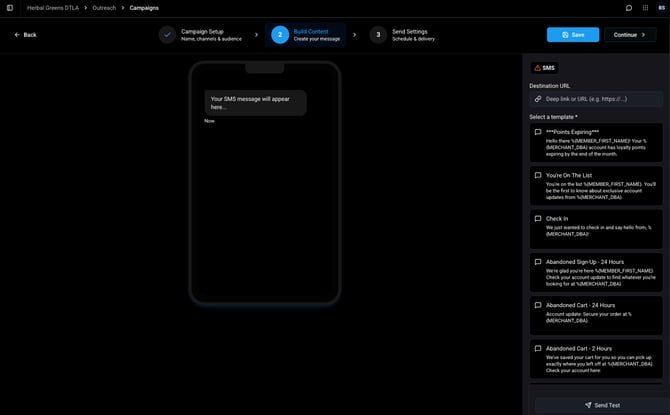
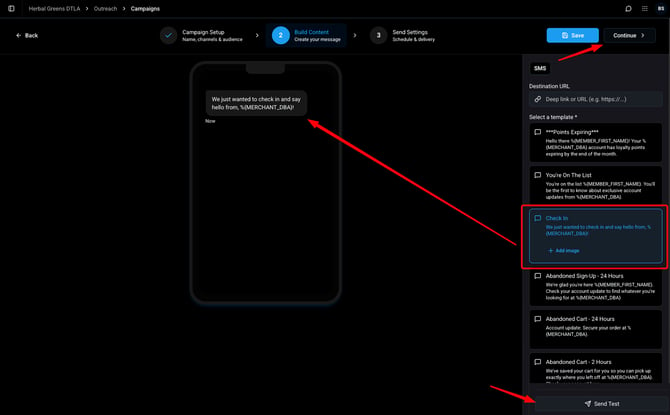
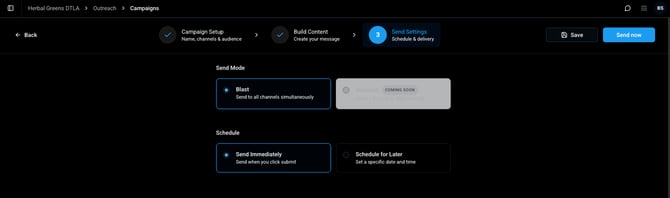
Simply click a template message, and assign a destination URL to the message as shown below to prepare a campaign. You can also send a test to yourself to ensure proper message prior to the live send. Click continue after you are finished up.
Custom Templates:
Under the Templates Option you will see "Create Template" this will allow you to create a custom text messaging template that you can use your own messaging to reach your customers with some caveats. 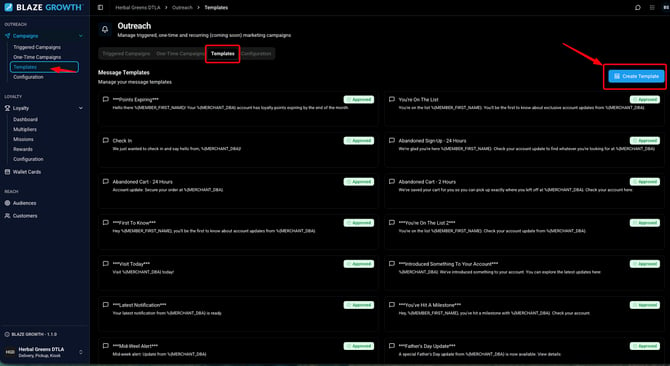
From here you will be able to insert a title, and SMS body using text and short code variables to produce a template. As mentioned previously SMS messaging is strictly regulated and enforced. In order to make sure you do not encounter any issues BLAZE has created a SMS Do's and Don'ts to help you along the way: BLAZE ECOM: SMS Templates Do's and Dont's
Once you are finished up you can then click "propose template" and it will be submitted for approval. The BLAZE team will evaluate this as a last check to ensure you are safe to send. This typically takes 42 to 72 hours to validate. 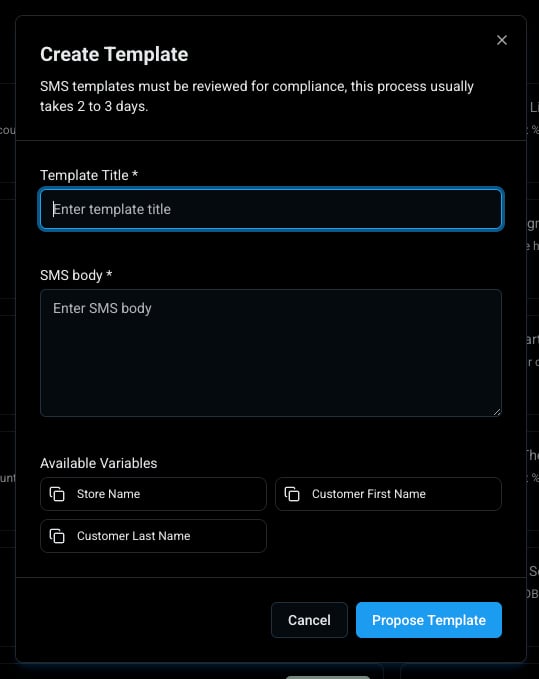
From there you will see your Templates listed on the Templates screen and the status of each one submitted.
Learn more about Growth