.png?width=140&height=37&name=BLAZE-Logo-Blue%20(2).png)
Prerequisites
- BLAZE POS App or Web Dashboard
- Integrated BLAZEPAY Cashless ATM Payment Terminal / Card Reader
Overview & Cashless ATM Functionality
BLAZEPAY Cashless ATM payment terminals automatically round the point-of-sale total up to the nearest $5, operating similarly to a standard ATM. Because of this rounding functionality, giving change (cashback) to the customer at the end of the transaction is standard practice.
With the integrated service, BLAZE POS and the payment terminal automatically calculate the necessary cashback at the end of the sale cycle.
Step-by-Step In-Store Budtender Workflow
- Once the customer's cart has been prepared, navigate to the Payment Options screen to initiate the CATM payment.
- Select the BLAZEPAY Cashless ATM (CATM) payment option.
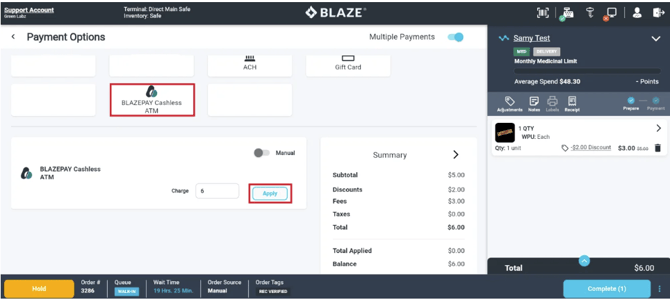
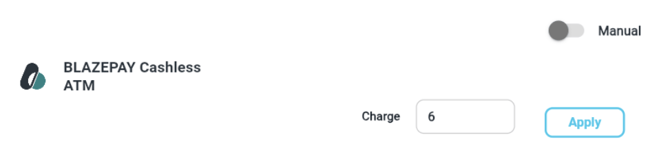
- Click Apply.
- Click Send Request to initiate the payment on the card reader.
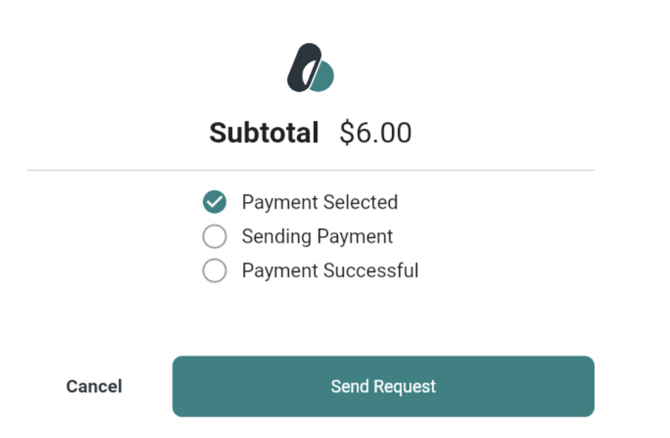
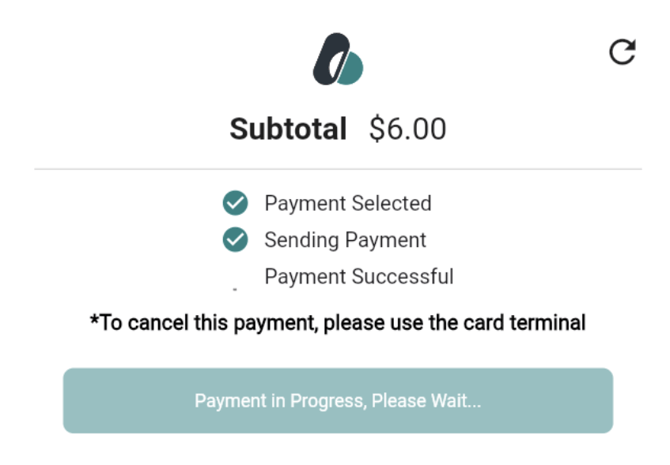
NOTE: The following statuses will update on-screen while the customer complete the payment.
-
- Payment Selected
- Sending Payment
- Payment Successful
5. Prompt the customer to insert their debit card into the reader to authorize and complete the transaction.
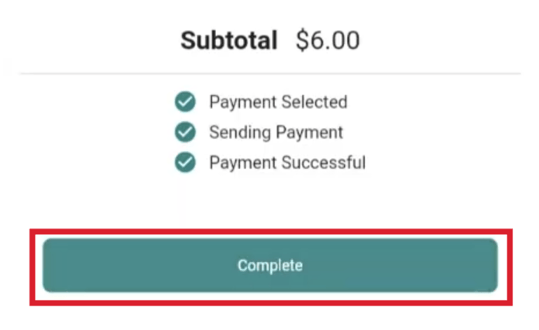
6. Once finalized on the card reader, BLAZE POS receives an API call to close the sale. All statuses will display a green check mark to indicate a successful payment.
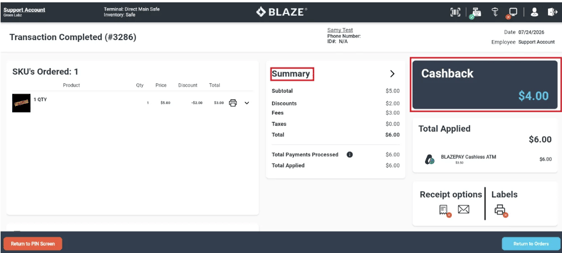
7. Review the payment summary screen, which automatically calculates and prompts the required cashback amount to give to the customer.
8. Complete the sale by choosing Return to PIN Screen or Return to Orders.
Customer Payment Workflow
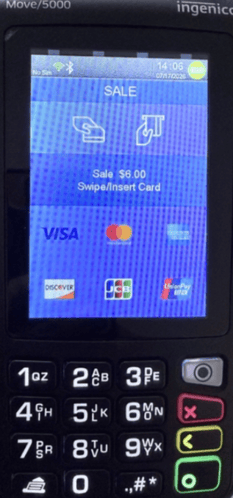
- Once the budtender sends the payment request from the POS, the terminal prompts the customer to insert or swipe their debit card.
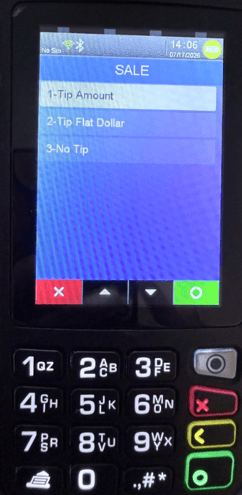
- If tipping is enabled on your terminal, the customer will select a tip option on the screen:
- Custom Dollar Amount: Allows the customer to enter a specific tip.
- Flat Dollar Amounts: Offers pre-populated options ($2, $5, or $10).
- No Tip: Skips the tipping step.
NOTE: Tipping can be enabled or converted to percentage-based values upon request. To update this setting, contact support@blaze.me with your terminal serial numbers and your preferred three percentage values.
-
- Sale Amount: Original subtotal sent from the POS
- Cashback: Calculated change owed back to the customer due to $5 rounding
- Surcharge: Processing fee applied to the transaction
- Total: Final rounded total charged to the card
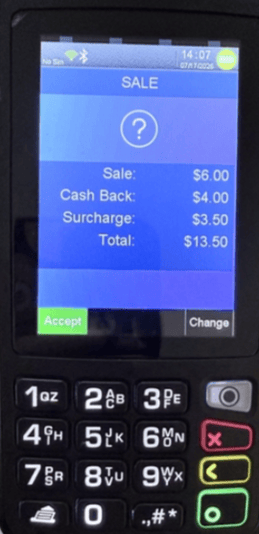
4. The customer reviews the details and selects Accept.
5. When prompted for account type (Checking, Savings, or Credit), the customer must select Checking.
6. The customer enters their debit card PIN on the terminal keypad.
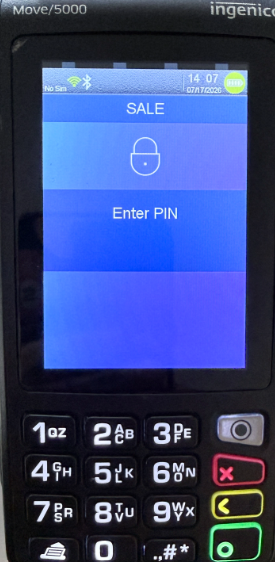
7. The terminal processes the authorization. Once approved:
-
- A merchant receipt automatically prints
-
- The terminal prompts whether the customer would like a copy of their receipt
Refunding & Voiding BLAZEPAY Transactions
Currently, the ability to refund to the customer's card does not exist. Refunds must be made in cash. If you need to process a refund, follow our GUIDE ON REFUNDS.
Once a BLAZEPAY payment has been applied to a transaction, it cannot be removed, except for a refund. So if you find yourself in a case where it was applied on accident, perhaps manually, you will need to VOID the transaction and re-ring it. If you need to void a transaction, follow our GUIDE ON VOIDS.
- The terminal prompts whether the customer would like a copy of their receipt
Related Articles:
Retail | Manual BLAZEPAY Cashless ATM
Retail | BLAZEPAY Cashless ATM Refunds
Retail | BLAZEPAY Cashless ATM Reporting
Retail | BLAZEPAY Cashless ATM Deposit and Sales Reconciliation